
Closed Loop Telemetry
Your phone is
your transponder
At my track the transponders are on the late models, unless it is a special night and the other classes qualify. Everybody else runs the whole night and not one lap time gets written down. Put this on your phone and every lap gets timed, every week, whatever you run.
That much is free. Add a GPS receiver and the times get sharp enough to chase a tenth. Add a sensor on each shock and a street stock is logging the same channels a touring team runs.
Get on the Pitbox list
For the Pitbox hardware. One email when it is ready, nothing else.
Drag to see it all →
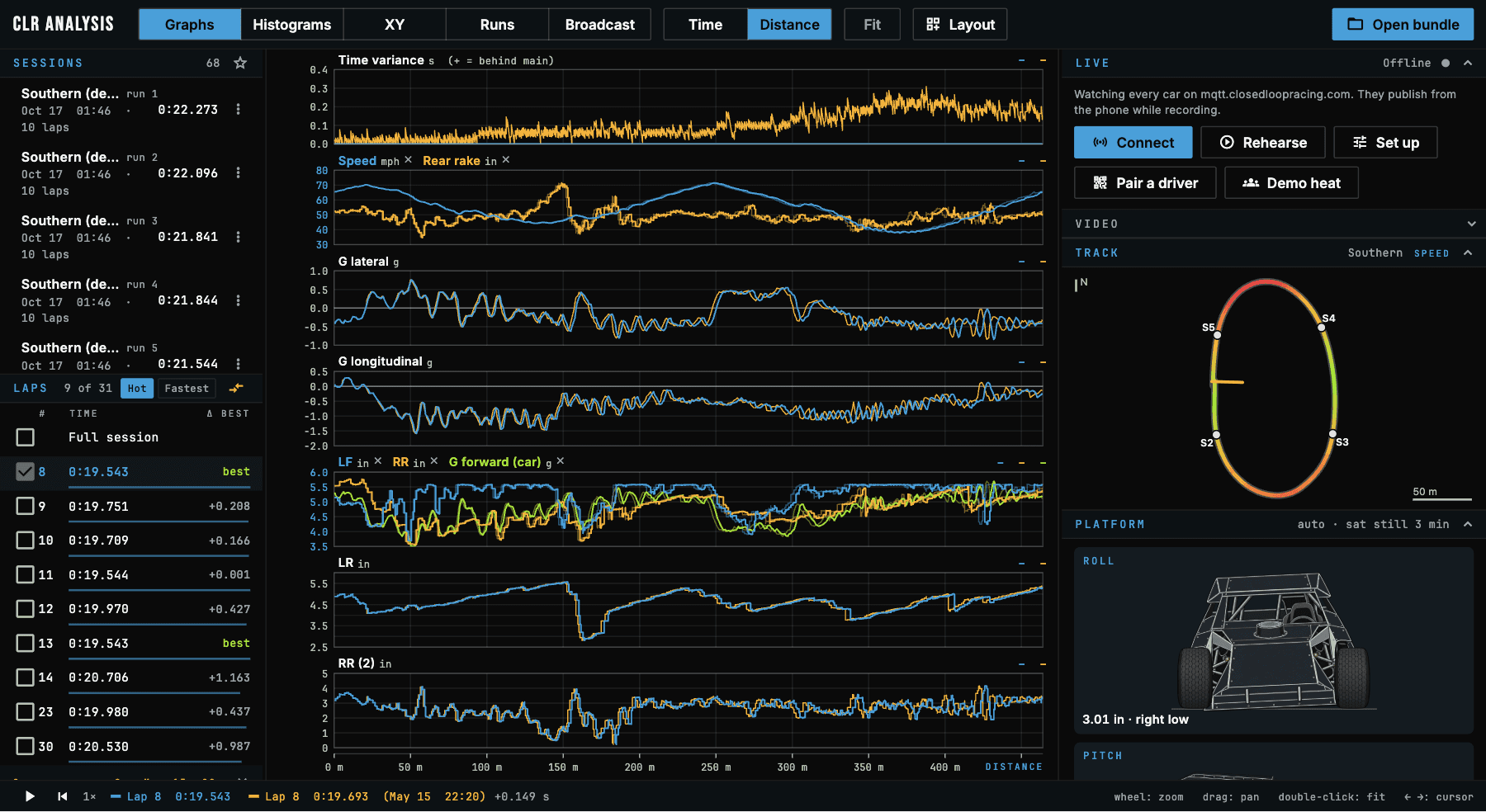
The far end of it: two laps from one night, laid on top of each other. Speed, how hard the car was loaded, and what every shock did, all lined up so you can see where one lap beat the other. Best was 0:19.543 at Southern.
The real board, straight out of the CAD. 65 × 55 mm. GPS and its antenna, an accelerometer and gyro, the SD card slot, the radio that gathers the nodes, and a buzzer that beeps the lap.
Three steps, and you pick where you stop
Same lap the whole way up — lap 4 at Southern, 0:19.669, a quarter mile. Step through it and watch how much of that lap you actually get back at each level.
Free · nothing to buy
The phone is the transponder
Its own GPS fixes where you are about once a second. That times every lap and sketches your line, in any class, on any night, whether or not your class is on the loop. Nothing to mount and nothing to rent.
Real data out of the session that ships in the app. Step one redraws it from about twenty position fixes, which is what a phone's own GPS gives you in a nineteen second lap. Steps two and three are the 25 Hz receiver and the shock sensors that recorded it in the first place.
What the track's loop does
Scores the classes the track is set up to score. A transponder of your own runs a couple hundred dollars, or five to ten a night to rent one where they rent them. It works on the nights your class is on the loop, and the record stays at the track.
What this does
Times your laps on a phone you already carry, in whatever class you run, at whatever track you tow to. Your line, your speed, and a note of what you changed, kept on the phone afterwards. It will not score you for the track and is not trying to.
What you do with lap times
On their own they tell you the clock moved. Keep a note of what you changed on the car next to them and you can tell whether the change did it.
Your lap times, every lap
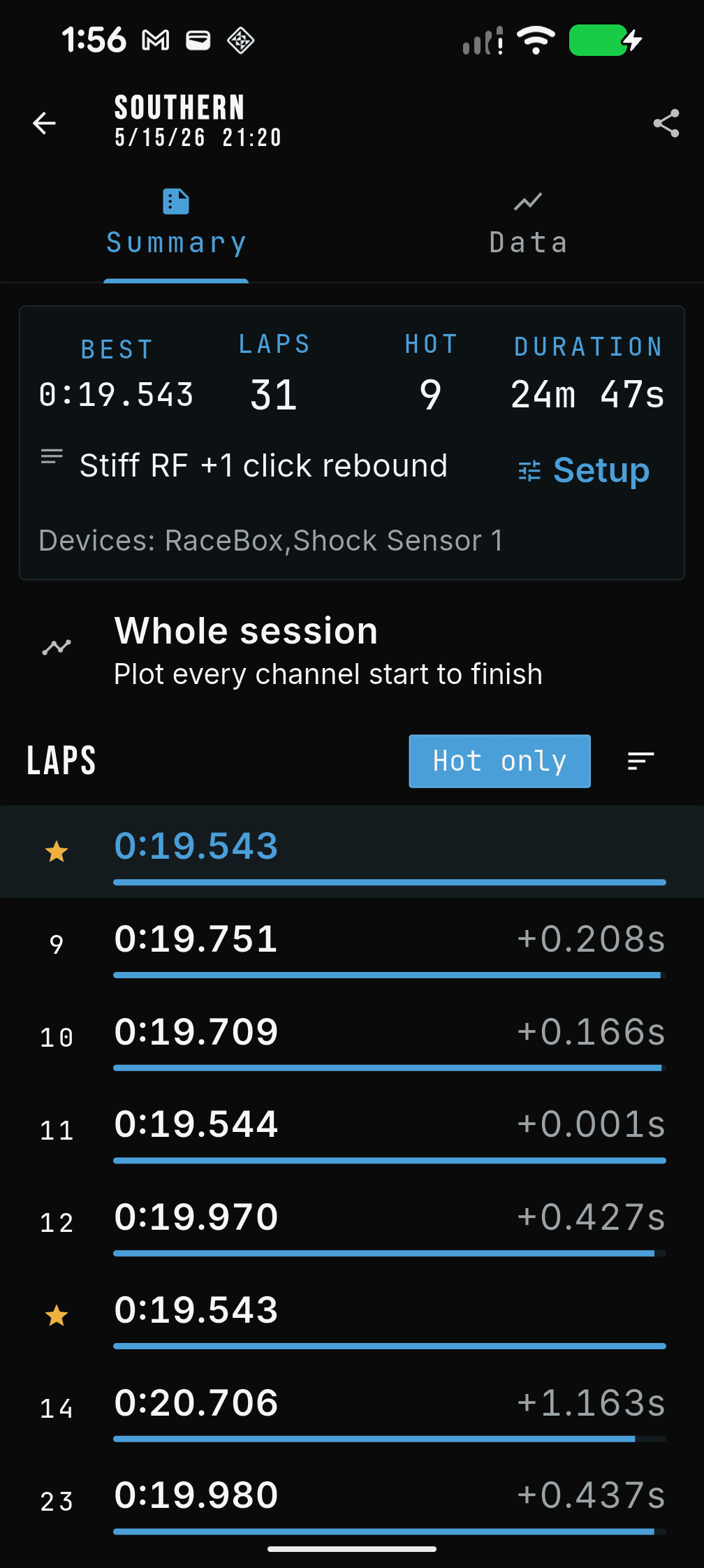
Start it, drive, and the phone times every lap with your best one marked. Over a season you can see whether you are actually getting quicker, or whether it just felt like it.
What you changed, kept with it
Type the change into the run before you unload. A spring, a click of rebound, a different bar. The note stays with the lap times, so next month you know which one it was.
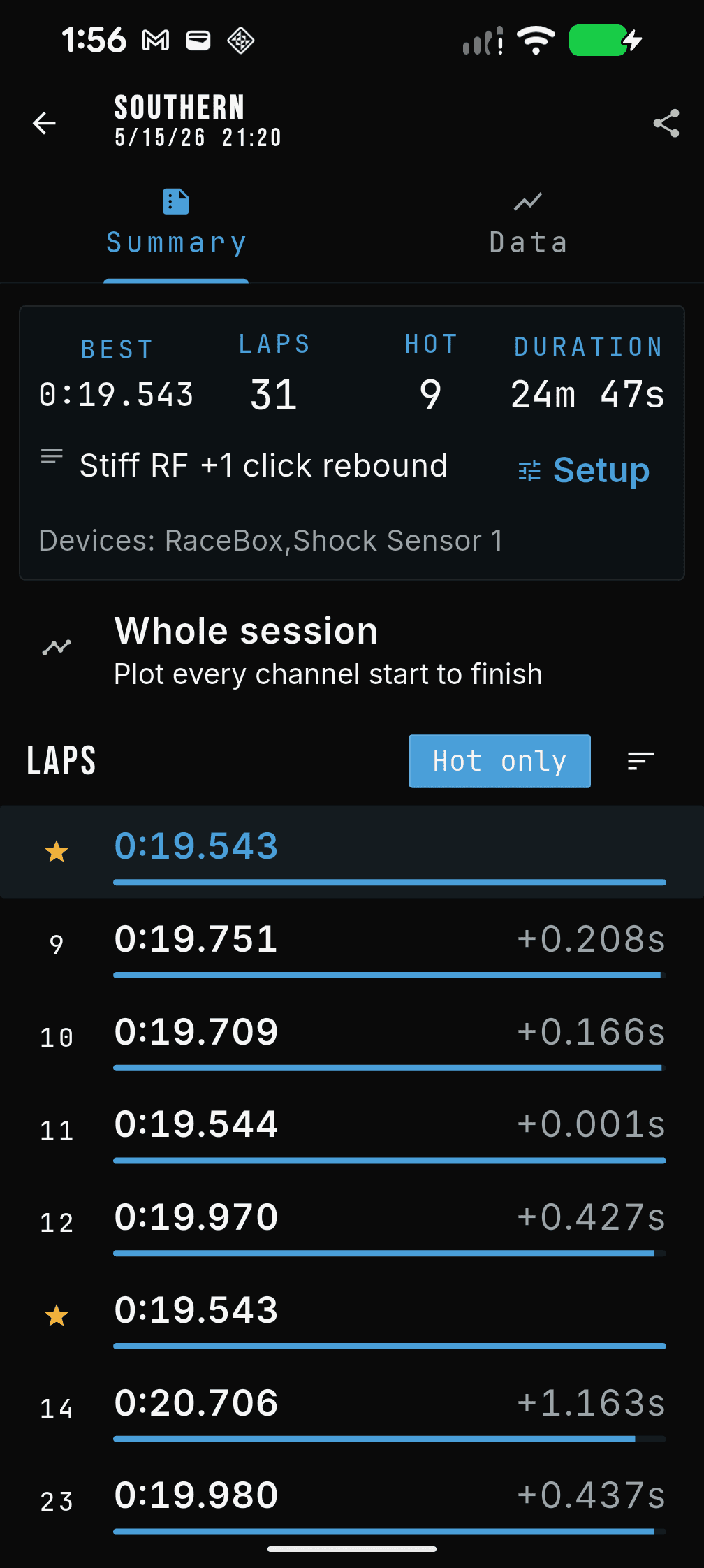
A night at Southern on the phone. Best lap 0:19.543 out of 31, and the note you typed before you unloaded — Stiff RF +1 click rebound — sitting right there with it.
Put them together and you get an answer
This is a real pair of runs from one night at Southern. Same car, same track, one click of rebound on the right front between them.
Baseline
RF rebound 6 → 7
That is what a crew chief with a laptop does for a touring team. It is the whole job: change one thing, run it, see if the clock agrees.
Where the damper lives
A travel sensor on each shock, read a hundred times a second. That is the channel GPS cannot give you, and the reason any of this exists.
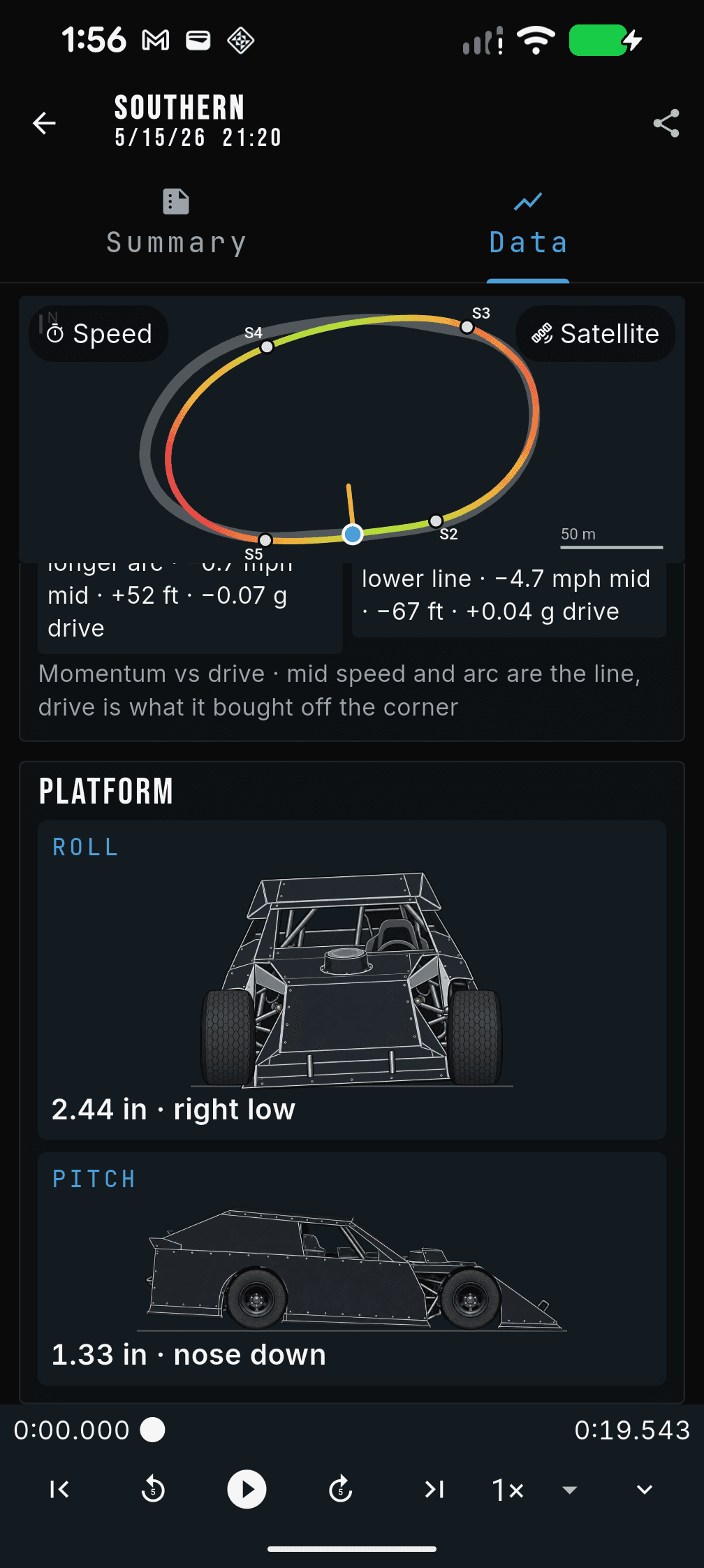
The platform, drawn rather than tabulated: roll 2.44 in · right low, pitch 1.33 in · nose down. It moves as the lap plays.
Roll and pitch, off the corners
Four travel channels are enough to know how the car sat at any point on the lap: how far it rolled, how far it pitched, and whether you ran out of travel doing it. The drawing moves as the lap plays back, so you watch the platform work instead of reading four numbers and trying to picture it.
And the histogram that tells you what to turn
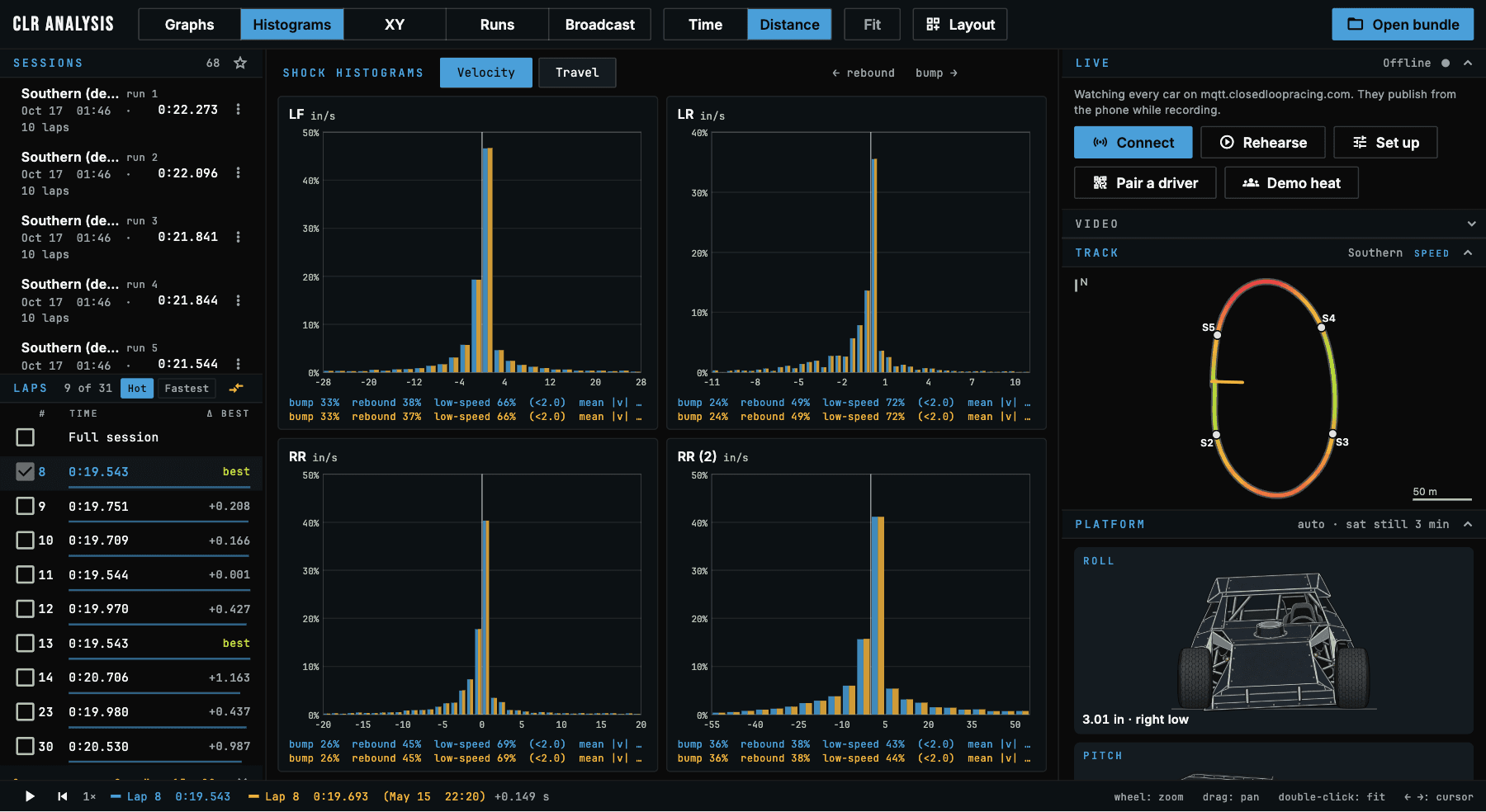
Shock velocity, one histogram per corner, two laps overlaid. This is the picture a shock guy asks for, and almost nobody running a dirt car can produce it.
Drag to see it all →
Bump, rebound and low-speed share printed under each corner — bump 33% · rebound 38% · low-speed 66%.
Bottom or top, settled
Every corner gets two numbers. The trade between them is the whole argument about running the bottom or running the top.
carried 61% · arc 463 ft
carried 58% · arc 502 ft
45 → 70 mph in 4.2 s · rear −1.24 in · LR−RR −3.27
43 → 69 mph in 3.9 s · rear −1.20 in · LR−RR −2.83
Forward drive · IMU aligned on lap 3 of this run · 0.16 g err
One lap against a reference, corner by corner. Off two the car was 0.26 g, eight hundredths up. Off four it made more drive at 0.31 g but gave three back. Rear travel and the LR−RR split print under each, so you can see what the car was doing while it did it. Real numbers from the session in the app, set in type for this page.
Carried is what you held at the slowest point as a share of your own straightaway speed. Arc is the path from turn-in to exit, so a higher line is a longer one. Drive is forward g from the slowest point to the next speed peak.
Run the top and the arc gets longer, so the speed you carried had better pay for it. Run the bottom and the arc shortens, so the drive number had better be there. Put two runs side by side and you can see which one actually worked instead of arguing about it in the trailer.
Stream live back to your pit
The phone in the car sends what it is recording over cell. The laptop in the pits has it about a tenth of a second later.
The demo heat on the pit wall. Every car on the link draws on the one outline by name, with lap, last, best and gap filling in underneath. Live today that is one car at a time.
Off until you set it up. Leave it off and nothing leaves your phone. What gets sent.
What it runs on
The same three steps again, this time with the parts named and the channel list filling in as you add them. The fourth and fifth are the Pitbox and the CAN node.
The phone on its own
Its own GPS times the laps. It updates far less often than a dedicated unit, so the times are rougher. Good enough to see your laps and your line, not good enough to chase a tenth.
A node is a travel sensor on one shock and a battery, and it talks to the phone on its own if you do not have a Pitbox. The Pitbox is our own board: GPS with its own antenna, an accelerometer and gyro, lap timing with a buzzer, an SD card, and the radio that gathers the nodes. It also presents itself as a RaceBox, so anything that already reads a RaceBox reads it too.
The hardware
We build the sensors too. A node on each corner reads the shock, and the Pitbox gathers them, times the laps and keeps its own copy of the run.
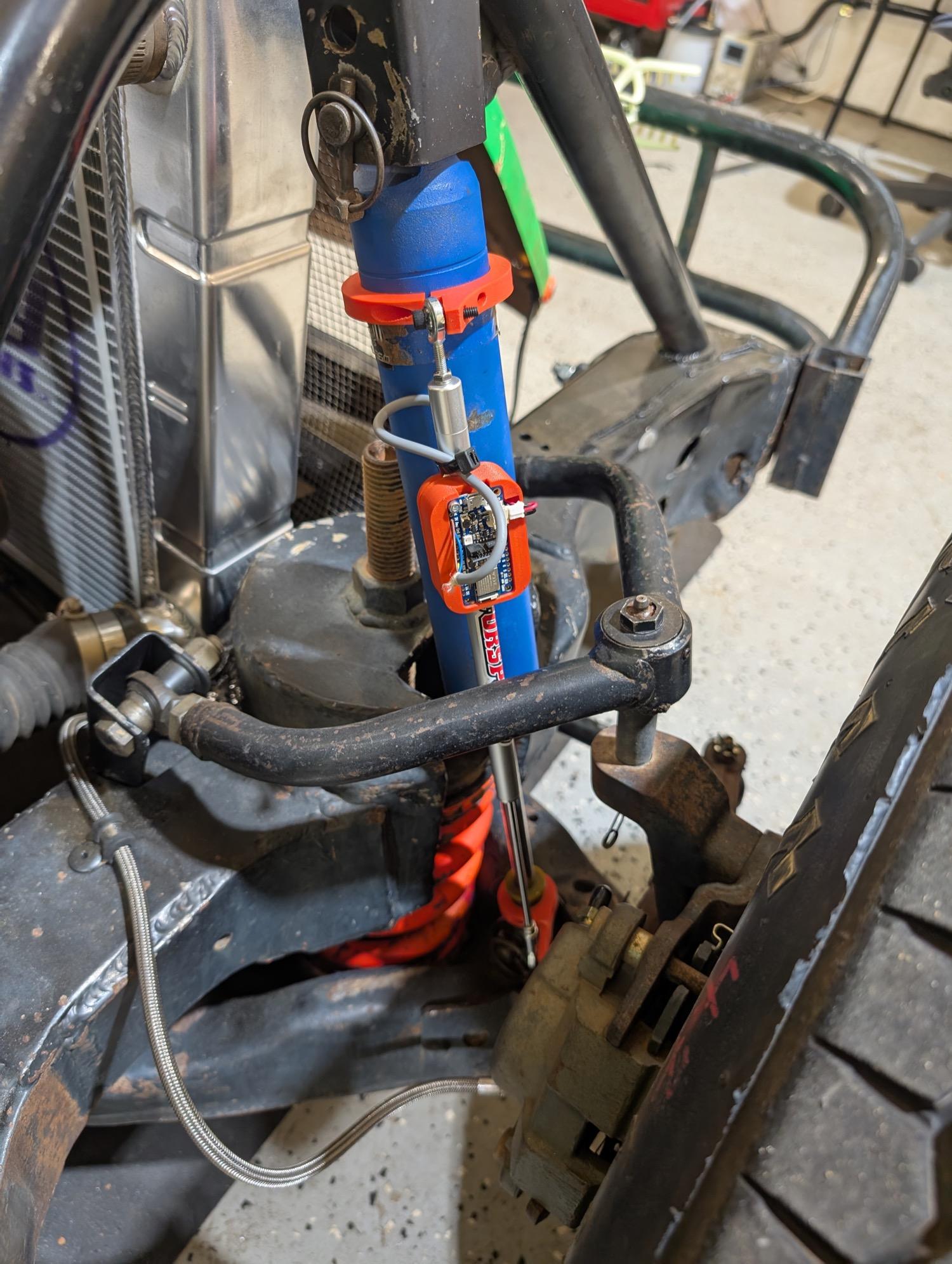
Prototype shock node
On the right front. The bracket clamps to the shock body, the sensor rod links down to the lower arm, and it reads how far that corner moved a hundred times a second. The case is printed in the shop.
This is a working prototype, on the car, not a finished product. The shape of it will change before anyone else gets one.
The board came back from the fab and I brought it up on the bench on the 14th. It is on my car now. I have five boards.
No price and no date yet, and I am not taking money until it has run a season. If you want first word when there is something to buy, the email box below is the same list.
Read it between heats
No laptop open on the trailer gate. The phone already has the lap.
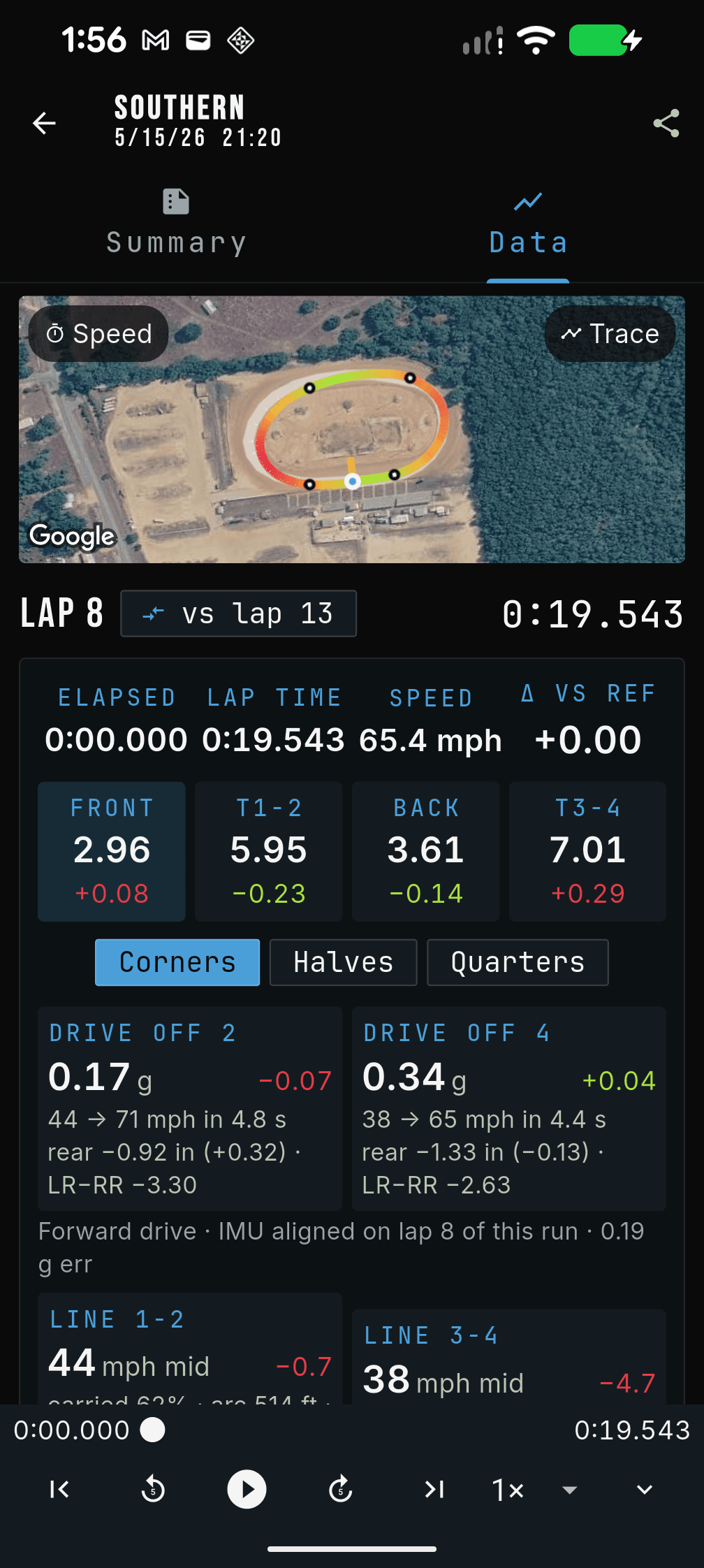
Lap 8, 0:19.543, coloured by speed on the satellite image. Sectors split FRONT / T1–2 / BACK / T3–4, and the corner exits are written out: 44 → 71 mph in 4.8 s.
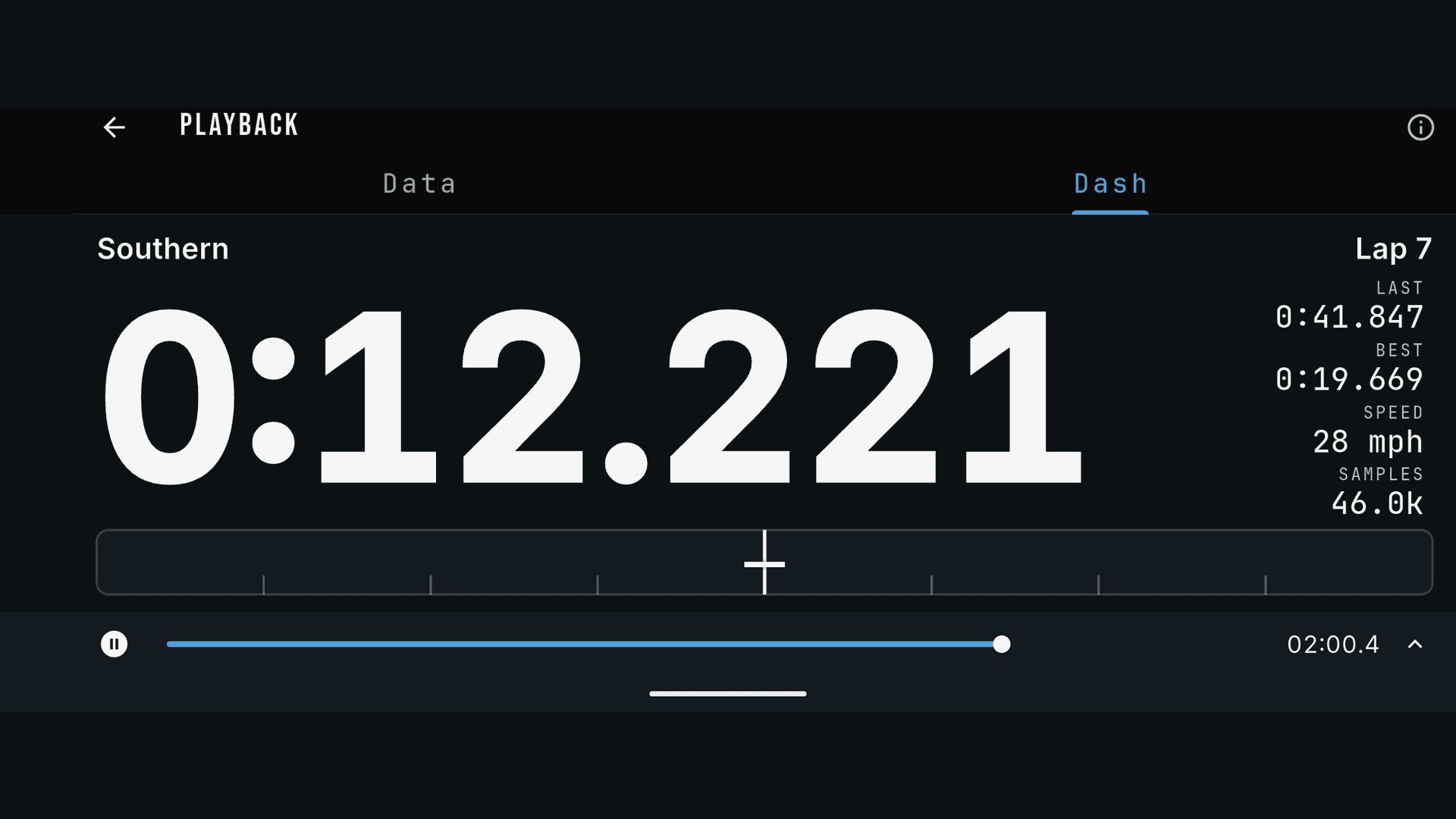
The dash, big enough to read at speed. Last lap, best, speed and how much data is in the session down the side, and the delta against your best in the strip underneath. Shown here playing a session back — best 0:19.669, the demo that ships in the app.
Every run keeps its own note
Type what you changed on the car and it rides along with the data, so next week the session still knows why it was quick. Compare any two laps on speed, delta, shock travel and G. Export a lap as an image for the group chat, or as a CSV. Start and stop a paired GoPro with the session.
Coming next
A CAN node
One hookup into the car's bus feeding the Pitbox: RPM, throttle, brake pressure, steering, wheel speeds, water and oil temperature. The node protocol already carries typed channels, so the charts pick them up without changes.
iPhone
Out now. Same app, same features, on the App Store. iPhone and Android phones can both talk to the same Pitbox.
Several cars at once
The broker already carries every car on the pit wall. The screen that puts three or four of them side by side is the next real piece of work.
Watch any track, live
A web page listing the tracks running right now, with the cars on the map, for anyone who opens it. Same feed the pit wall already uses.
Get the app
It is free, on Google Play and the App Store. No account, no sign-up. Install it, put the phone in the car, press record. The same app runs on a Windows laptop for the full analysis workspace.
If a link opens a blank page inside Facebook or Messenger, open it in Chrome or Safari instead.
Windows: unzip anywhere and run race_telemetry.exe. It is not code-signed yet, so the first time Windows will say it protected your PC; click More info, then Run anyway.
Or get on the list
For the Pitbox hardware. One email when it is ready, nothing else.
Milton, Florida
Who's building this
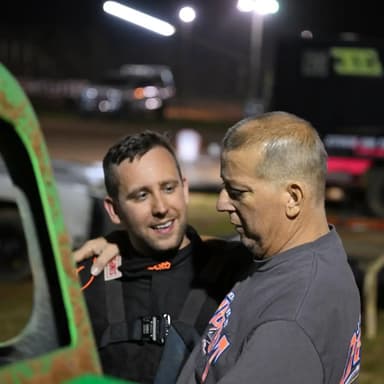
I am John Taylor. I race dirt ovals and I am an electrical engineer. I run a RaceBox because I wanted to know whether a change to the car actually did anything, and the hardware is good. What it could not tell me was what the suspension was doing, so I built sensors that could, and then the software to read them.
Every screenshot on this page is the running software. The lap data is a real session at Southern Raceway: 31 laps, best 0:19.543.
If something here is unclear or wrong, email me and you will get a straight answer. closedloopracing@gmail.com